STO Apps · Overhead
An iPad, pointed at a page.
Overhead turns a district iPad into a document camera a teacher can actually teach from: show the page on the projector, freeze it, mark it up in front of the class, and keep the marked-up copy for next year. Built in-house at RSU 87 to replace a free App Store app that could not be changed, bundled or fixed.
Version 1.0.0 · iPadOS 17 or later · private district app, distributed through Apple School Manager
What it looks like
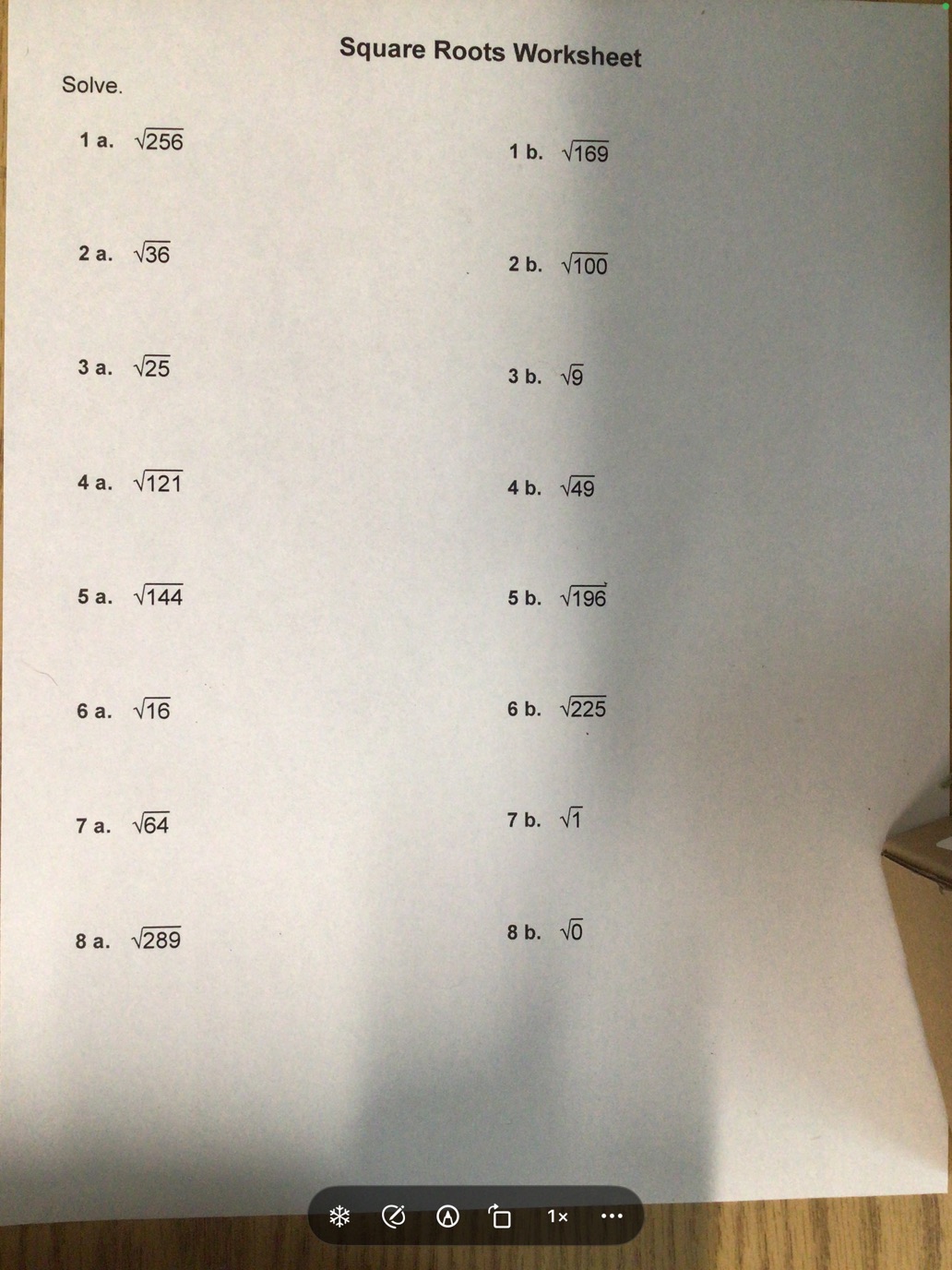
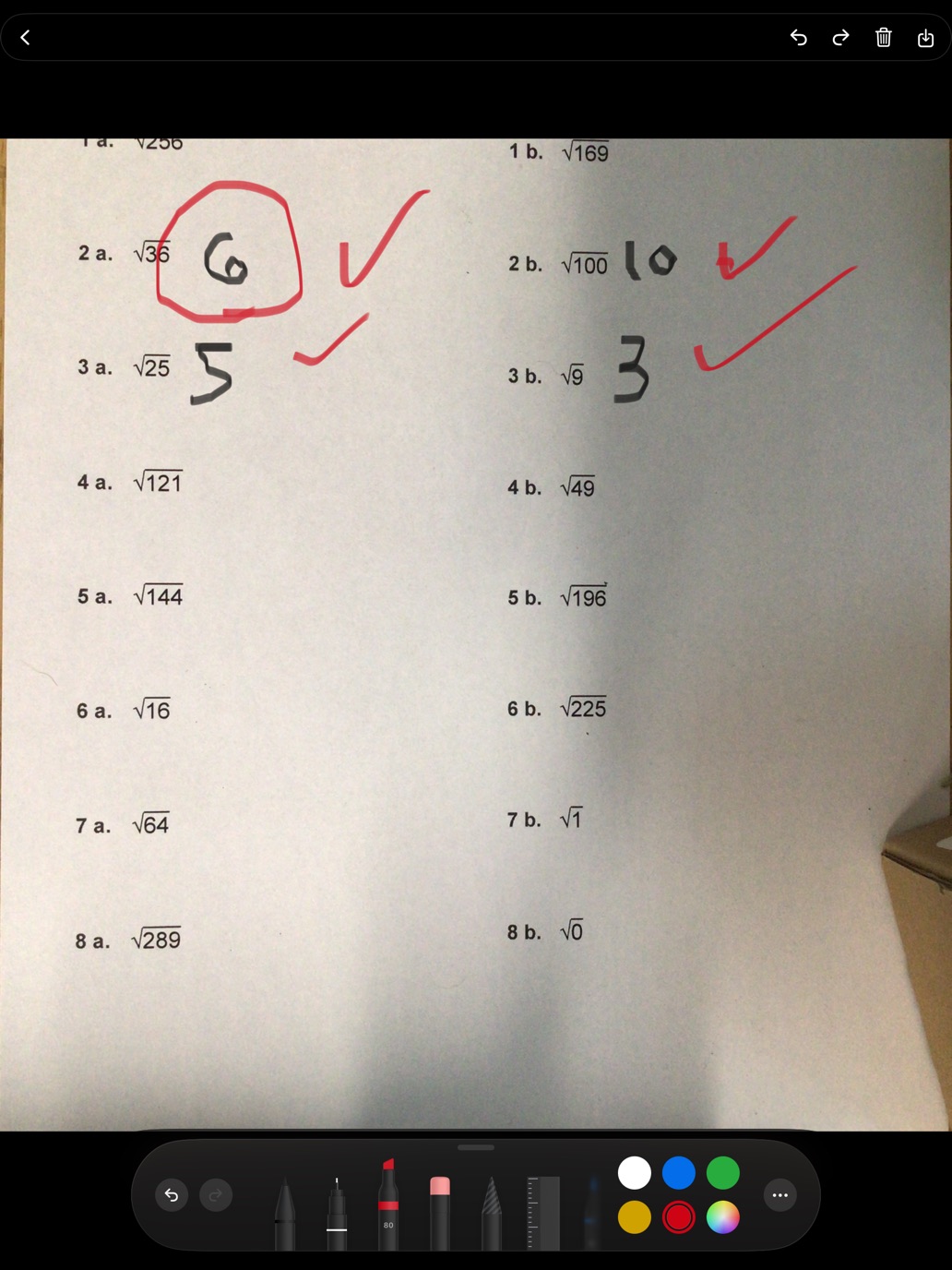
Captured on a classroom iPad, over a real worksheet.
What it does
Shows the page
Live camera to the classroom display, with rotate, zoom to 8×, mirror, tap to focus and focus lock so the lens stops hunting when a hand crosses the page. The iPad stays awake while it is running.
Freezes and marks up
Capture the frame at full sensor resolution and annotate the still, so the ink sits on the page rather than on the screen and stays put when the page moves. Ink straight over the live image too, when the point is a gesture rather than a record.
Keeps the work
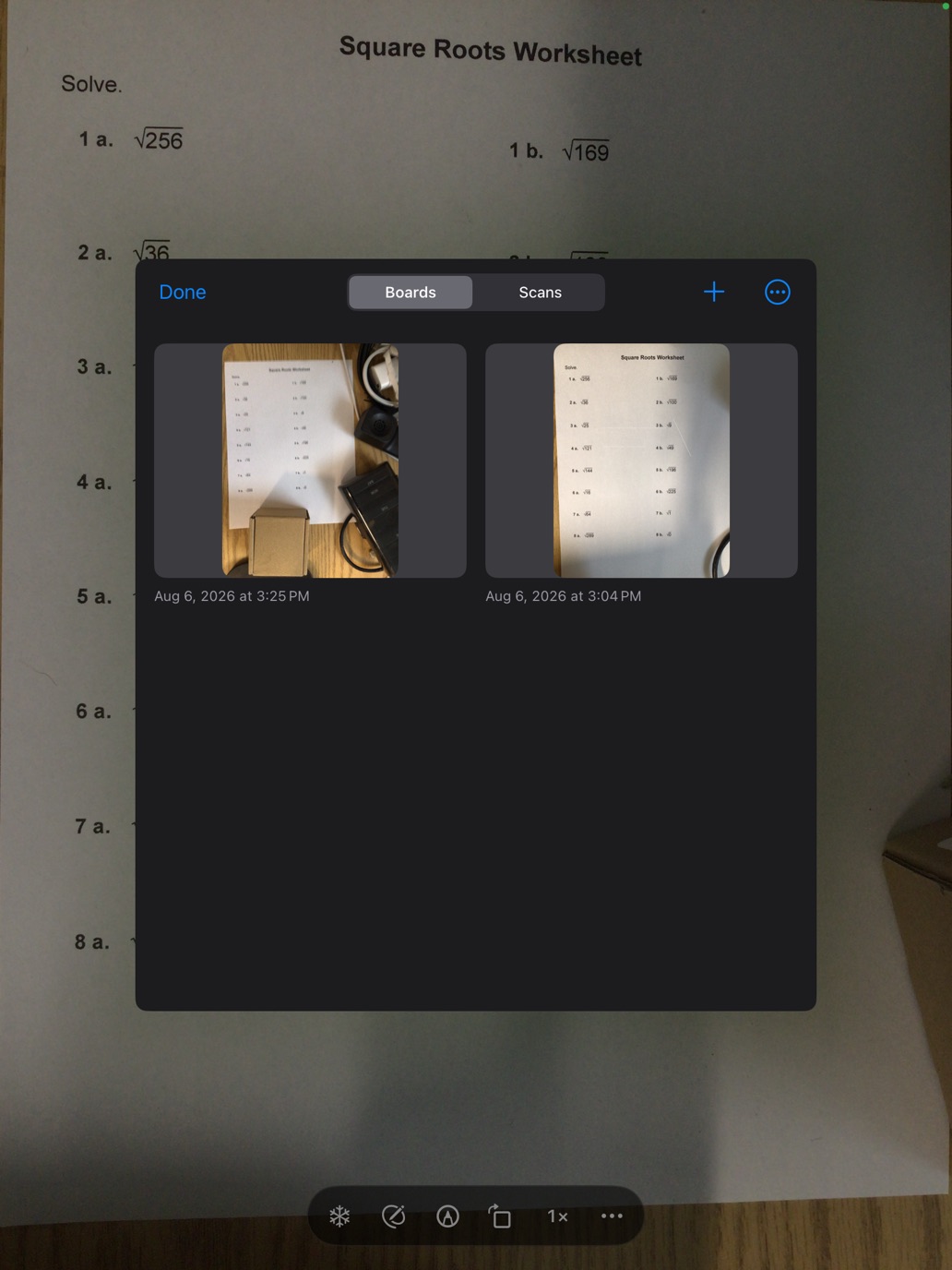
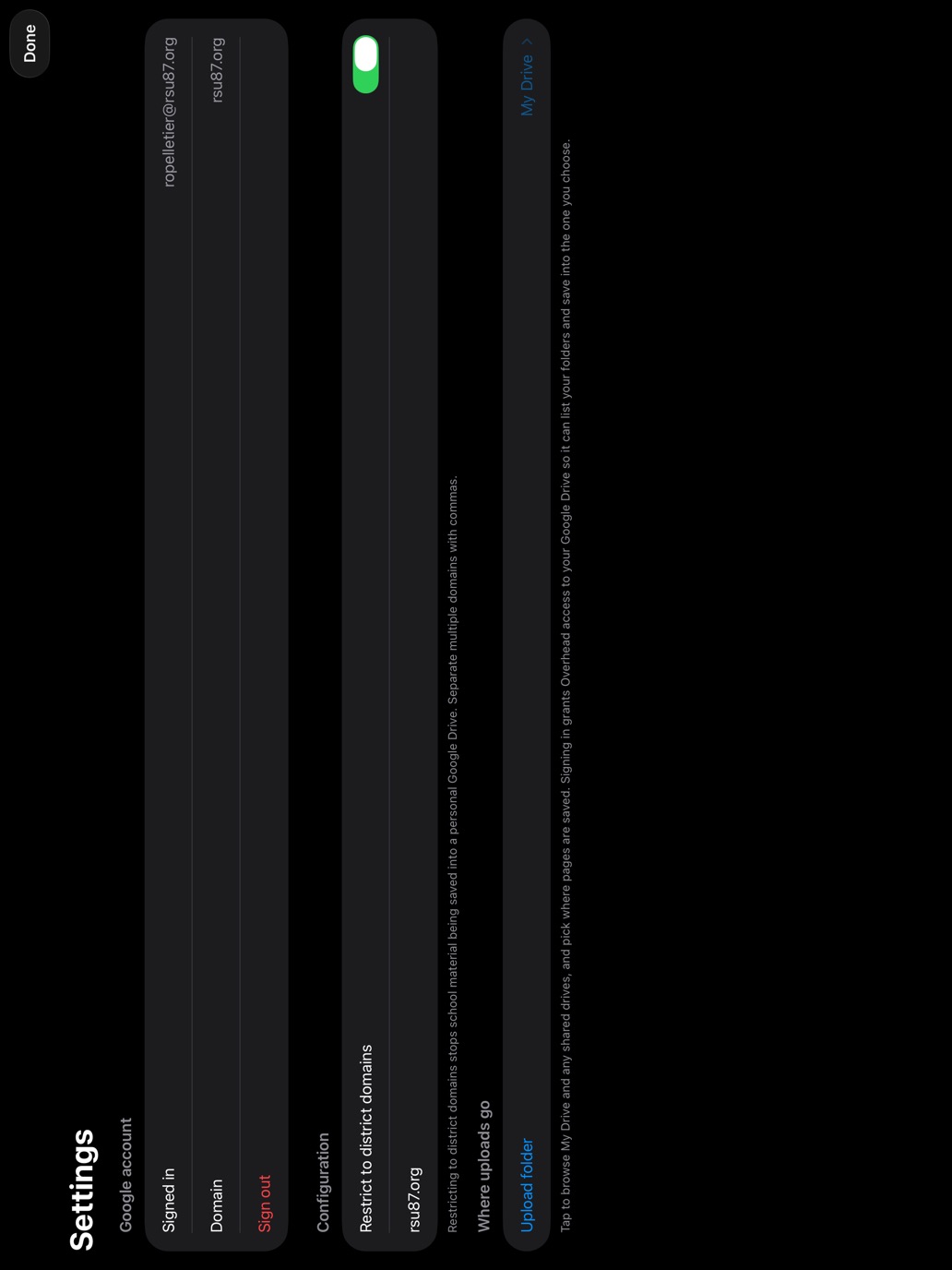
Boards and scans live in a library on the iPad, with undo, text blocks and shapes on top of the ink. Save out to Photos, or to a folder in your Google Drive.
Brings documents in
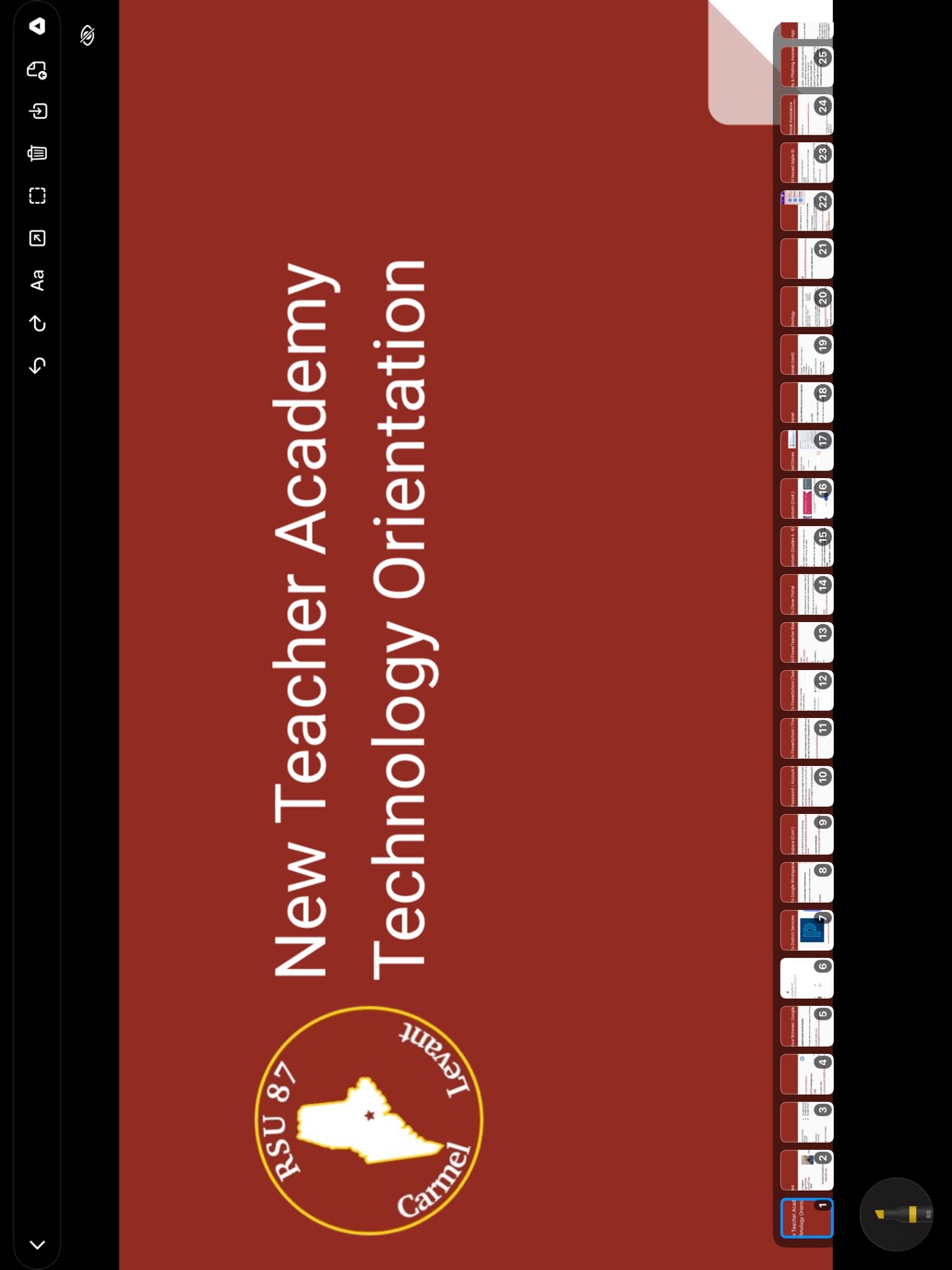
A PDF, a photo, a Google Slides deck or a PowerPoint file becomes a set of boards — one per page, grouped as a single item, so a forty-slide deck is one tile and not forty. Then mark it up like anything else.
Scans a document properly
Edge detection and perspective correction, so a page photographed at an angle comes out square, as a PDF.
Works with nothing connected
No account, no network, no sign-in. Every core feature runs on an iPad in airplane mode; Google is an option, not a prerequisite.
What it does not do
Documented rather than discovered.
- Slide decks arrive flattened. Each slide becomes one picture, so builds, animations and transitions do not survive the trip, and speaker notes do not come across. If the animation is the lesson, present from the deck.
- Sixty pages per import. A longer file imports its first sixty pages and says so on screen. The cap exists so one enormous PDF cannot evict a term of real work.
- Boards do not sync. They live on the iPad they were made on. This is a deliberate consequence of having no server, and it means anything that matters should also be saved to Photos or Drive.
- Live annotation is temporary by design. Ink drawn over the moving image is not saved and will not track the page. Freeze first to keep it.
- The pencil palette floats above the app. iPadOS decides where it sits and the app cannot measure around it, so occasionally it needs dragging aside. The app's own controls move to the top while you are inking, which is the part that could be fixed.
Privacy, briefly
Overhead collects nothing. No analytics, no advertising, no third-party code, no accounts of its own, and no tracking of any kind. The camera image is never recorded. Everything the app makes stays on the iPad unless a teacher chooses to save or upload it. With no Google account signed in, the app makes no network requests at all.
The full policy states exactly what is granted when a teacher does sign in to Google — including why the app asks for broad Drive access and the short list of operations it performs with it.
For review and verification
The canonical pages, in one place.
| privacy.html | Privacy policy. What the app does with information, per permission and per network host |
| support.html | Support. Contact, what to include in a report, and answers to common questions |
| terms.html | Terms of use. Who may use the app, and what it does not promise |
| apps.html | All STO Apps. The wider set of district tools and how they are built |
Distribution
Private to RSU 87 through Apple School Manager, deployed to managed iPads with Jamf Pro. Not published to the public App Store and not available for general download.
Data collection
None. The app declares Data Not Collected, and that declaration is the description of the binary: no analytics SDK, no crash reporter, no advertising identifier, no third-party libraries at all.
Google API scopes
openid, email and drive. The broad scope
is requested because drive.file cannot list a teacher's existing
folders or open a worksheet they already have. The
policy section lists every operation
performed with it.
Permissions requested
Camera, and add-only access to Photos. Nothing else — no location, contacts, microphone, or read access to the photo library.
Who built it
The RSU 87 Technology Department, in Maine. Overhead exists because the cart iPads ran a free App Store document-camera app that could not be modified or bundled into the district's own Jamf builds — so the features teachers kept asking for could never be added to it. It now does everything that app did, plus freeze, markup, saving, focus lock and mirroring.
The rest of the in-house set, and the reasoning behind how they are built, is on the apps page.